|
|
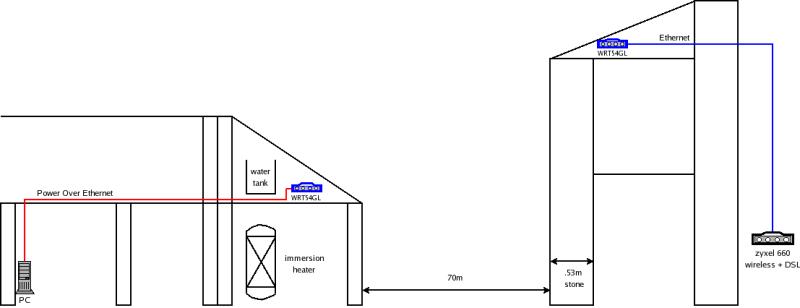
I needed to share my broadband DSL internet connection with a nearby house as depicted below. Initially I tried to connect directly from a 20mW wireless card in the remote PC with a high gain (16dB) antenna, to my zyxel ADSL router. Communications were very sporadic at best, so I arrived at the solution below using 2 WRT54GL wireless routers in the attics of both houses. Note, if the Zyxel wireless wasn't so useless I could have used a single WRT54GL in "client bridged" mode, where it essentially acts like a WLAN adapter for the PC. Anyway in addition to providing the remote connection, the local WRT54GL is able to serve the whole house with wireless due to its more powerful transmitter, and so the Zyxel is relegated to providing ADSL access only.
Components used
 |  | 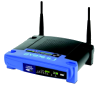 | | 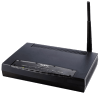 |
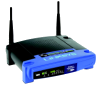
| PC | Power over ethernet adapter | remote WRT54GL | local WRT54GL | Zyxel 660 |
Power over ethernet adapter
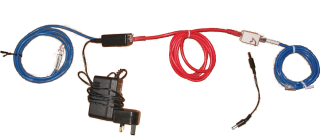
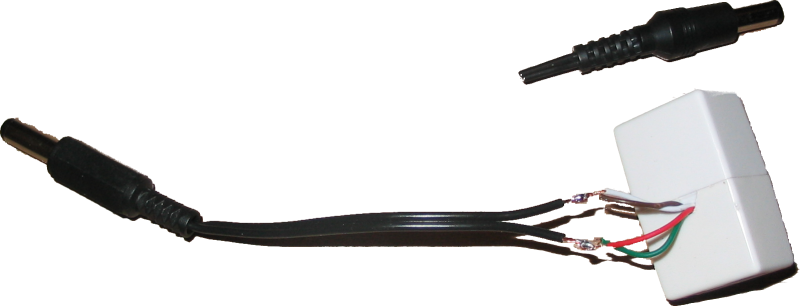
This is used to transfer both DC power and data over the same ethernet cable and was especially useful in my case as there were no power sockets in the remote attic. Also it's handy to be able to power cycle the router in the attic from the location of the PC, and this was required once, after a brown-out caused the router to hang (with all its ethernet LEDs on and power LED flashing).This is a cheap and simple device to use but was a bit more complicated in my case as I used a surplus one that a friend had, and he could only find one of the two adapters. Therefore I fashioned the other half from a female to female ethernet coupler. This was very simple actually as the coupler snaps apart easily and the appropriate wires can easily be pulled out. I also cut a notch in the case for the wires, before snapping it back together and soldering the wires to the DC power connector.
Linksys WRT54GL
This really is a nice piece of hardware, and is essentially a low power, low cost linux router which has 5x100Mb/s ethernet ports and 1x54Mb/s wireless ethernet ports. I've seen reference on the net that the WRT54G draws around 6W which currently equates to about €7.50 per year. The default Linksys/Cisco software that comes with it is not good however, only working reliably with Microsoft internet explorer which is ironic, and not supporting various services. The "L" variant of the WRT54G has more RAM specifically to support a linux based firmware, so to unlock the full potential of this hardware I went through the simple process of installing the DD-WRT V23 SP2 linux distro, whose web interface looks like: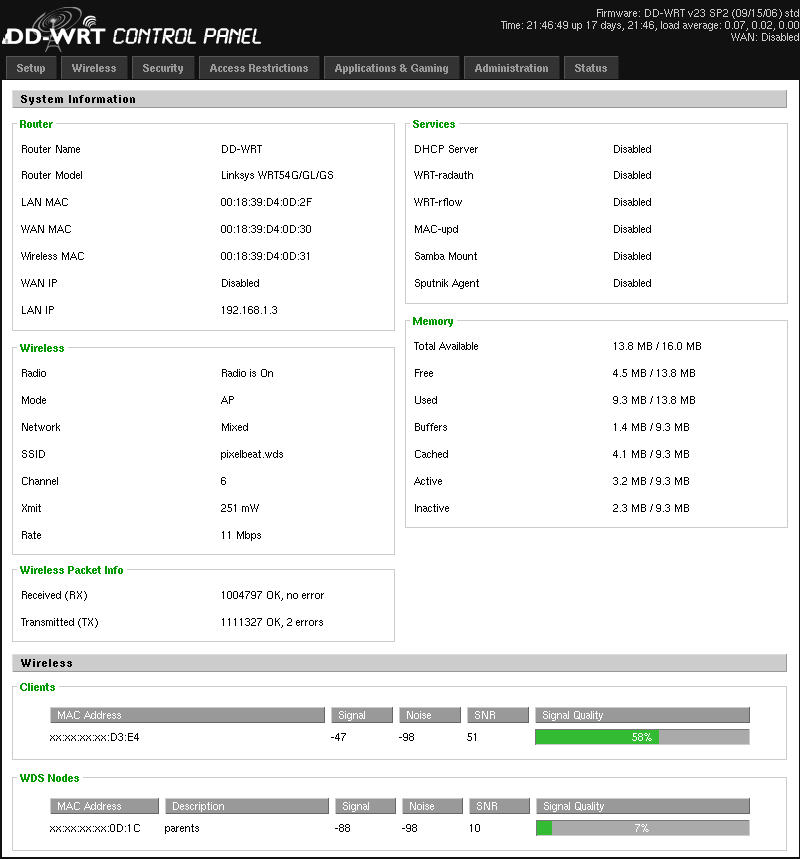
The DD-WRT software allowed me for example to increase the wireless transmitter power (on both routers) from the default OEM value of 28mW to the maximum of 251mW. Note this device has detachable TNC antennas, so you can add higher gain (directional) antennas if you wish.
To get the 2 APs to both bridge the connection between the houses and to provide wireless access within the houses, I set both devices up locally as follows, and made sure they could communicate.
- Set Static IP addresses on same subnet as zyxel (but not in its DHCP range)
- Changed web interface theme on mine to make it obvious which I was configuring
- Disable Internet connection type (WAN port)
- Note connect the zyxel to one of the LAN ports on the WRT54GL, not the "Internet" port
-
Enable WDS, entering MAC address of other WRT54GL
- Use "LAN mode" rather than "point to point mode", so that can also use as an AP
- Pick different SSID and channel to zyxel, in case I want to re-enable wireless on the zyxel
- Turned off DHCP server, to let the zyxel continue serving addresses
- Changed root passwords
- Enabled WPA2 PSK using AES
- Left SSID broadcasting on, as I can't see any harm in this
- Restricted access using MAC address filtering to other WRT54GL and my laptop
- Disabled telnet, Enabled ssh and added my public key
DD-WRT v23 SP2 std (c) 2006 NewMedia-NET GmbH
Release: 09/15/06 (SVN revision: 3932)
==========================================================

 ____  ___    __        ______ _____         ____  _____
 | _ \| _ \   \ \      / /  _ \_   _| __   _|___ \|___ /
 || | || ||____\ \ /\ / /| |_) || |   \ \ / / __) | |_ \
 ||_| ||_||_____\ V  V / |  _ < | |    \ V / / __/ ___) |
 |___/|___/      \_/\_/  |_| \_\|_|     \_/ |_____|____/

                       DD-WRT v23 SP2
                   http://www.dd-wrt.com

==========================================================


DD-WRT VeryBusyBox v1.2.1 (2006.09.15-18:06+0000) Built-in shell (ash)
Enter 'help' for a list of built-in commands.

~ # dmesg | grep CPU
<0>CPU revision is: 00029008
<0>CPU: BCM5352 rev 0 at 200 MHz
~ #
[Update Dec 2010: The linksys router in the attic with the water tank above died. Upon investigation, the PSU had died, and on further investigation the transmitter in the router had degraded/was damaged, as it would work when close to the other router, but not from the remote attic. So I bought a replacement WRT54GL for €60 inc. vat, and loaded the latest recommended DD-WRT release (v24 SP2 std (c) 2009). Note using firefox 3.6.13 to upload either the temporary or final firmware was fine, despite the warnings to use internet explorer only.]
[Update Jan 2011: I replaced the failing Zyxel 660 router with a Dlink 320B modem and changed the config accordingly. Note while adjusting some linksys custom settings through the web interface, the system reset to default config :( I suspect an errant blank line inserted through the web interface, rather than a hardware issue. What I was changing exactly was adding a custom entry to the firewall script to allow in port 68 (dhcp responses)]
[Update Feb 2011: I noticed that after a while, connections/pings to the net would stall for a couple of minutes. After analyzing this for a little while I noticed that pings to the local linksys router itself would stall, while existing ssh connections through that router to the net still worked fine. This suggested a resource issue, which I confirmed by sshing to the box and running dmesg to give "ip_conntrack: table full, dropping packet.". This was the required google key to find info on fixing this router stall which involved increasing the "ports" (ip_conntrack_max) value from 512 to 4096. Note the router reset to factory defaults when I changed this!, but was OK on subsequent setting of all settings again. I'm unsure if this is hardware failing, or a software issue.]
[Update Aug 2019: After 13 years this setup is still working fine, but will be decommissioned and replaced with a newer setup, as part of a new FTTH installation. This will upgrade our internet connection from 17Mb/s to 300Mb/s download. More significantly it will increase upload speeds from about 1Mb/s to 60Mb/s, which will improve video calls etc. The total cost of this old setup was €0.03/day capital costs + €0.04/day in electricity costs]